
Learn how to filter your audience based on specific content engagement criteria. This guide will show you how to target staff members who have received a notification but have not yet responded to your event.
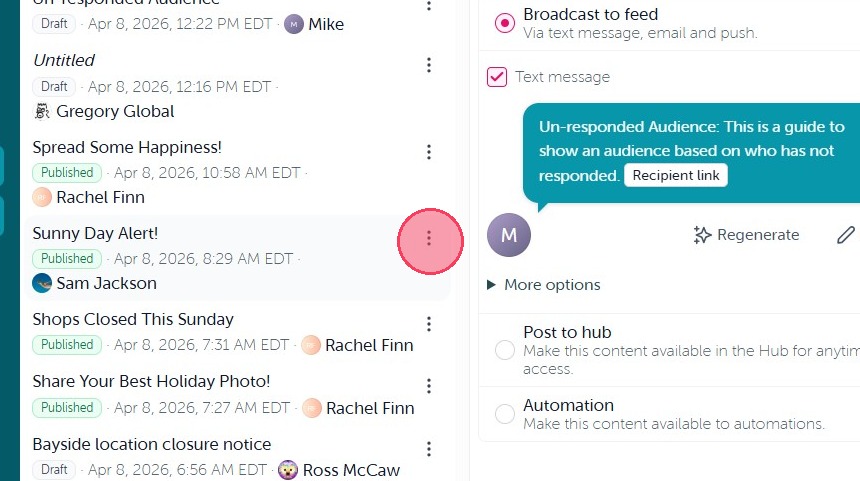
1. If you are trying to re-send a broadcast to either the individuals who have yet to respond to the feedback within it, or have yet to receive it for whatever reason, this is your guide. To start, you will more than likely want to duplicate the broadcast that was not received or responded to. To do so, simply select the three dots on next to the content in question, as outlined below:
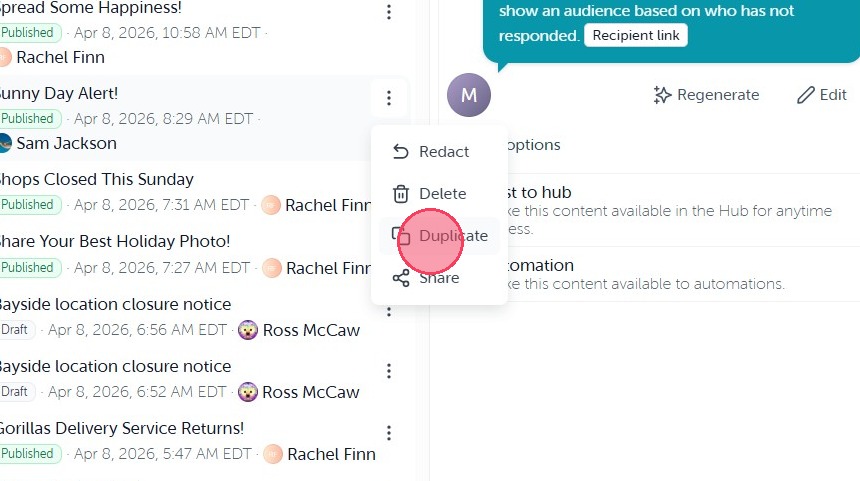
2. From there simple click "Duplicate" and it will automatically recreate the entire content as a draft for you to re-send.
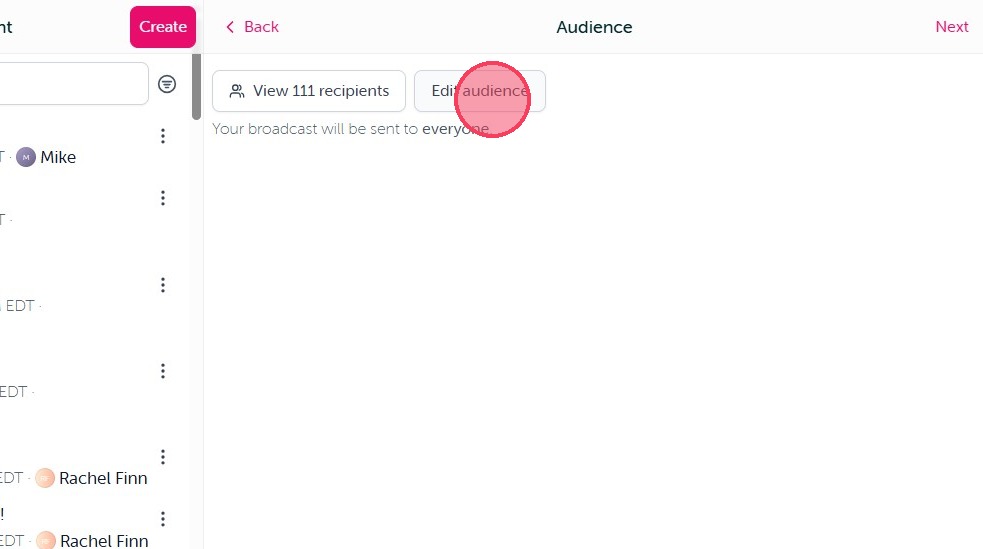
3. When you get to the Audience option, select Edit Audience.
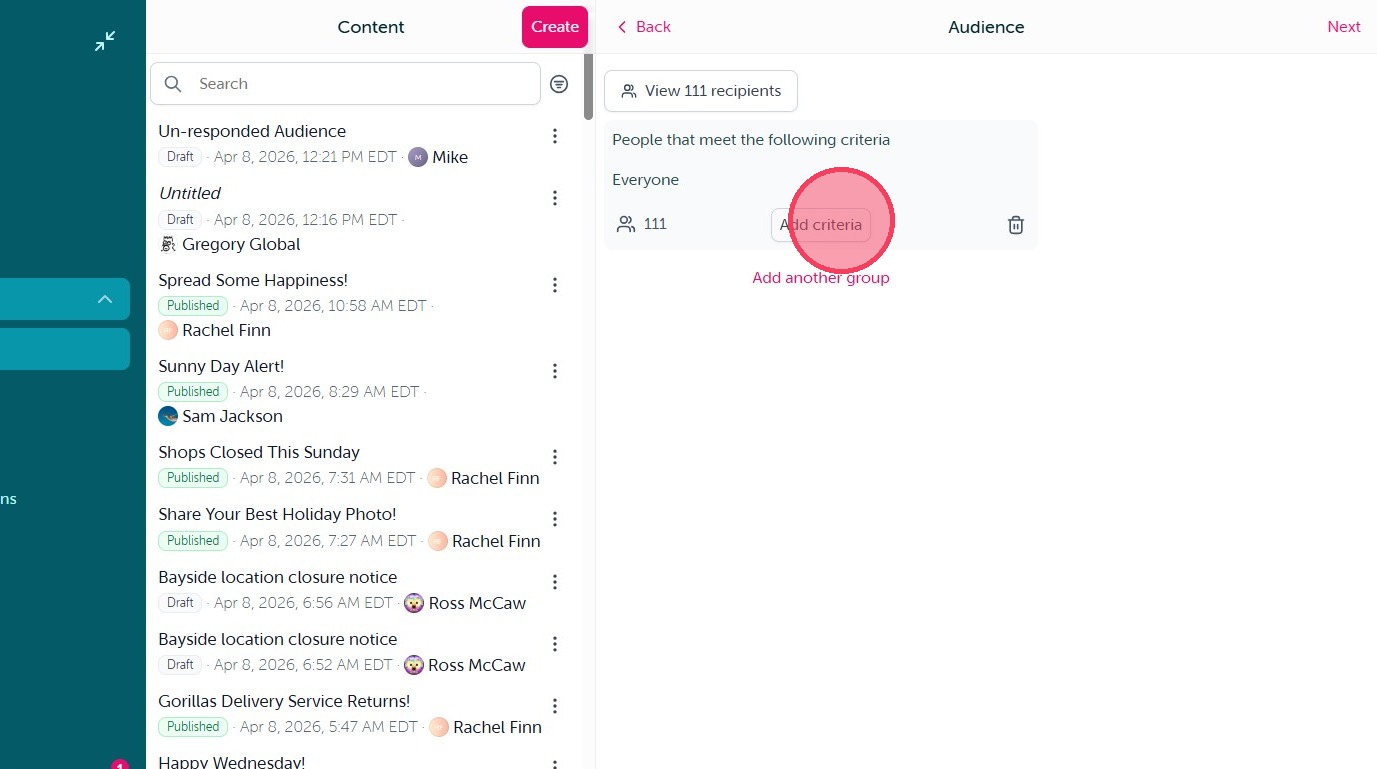
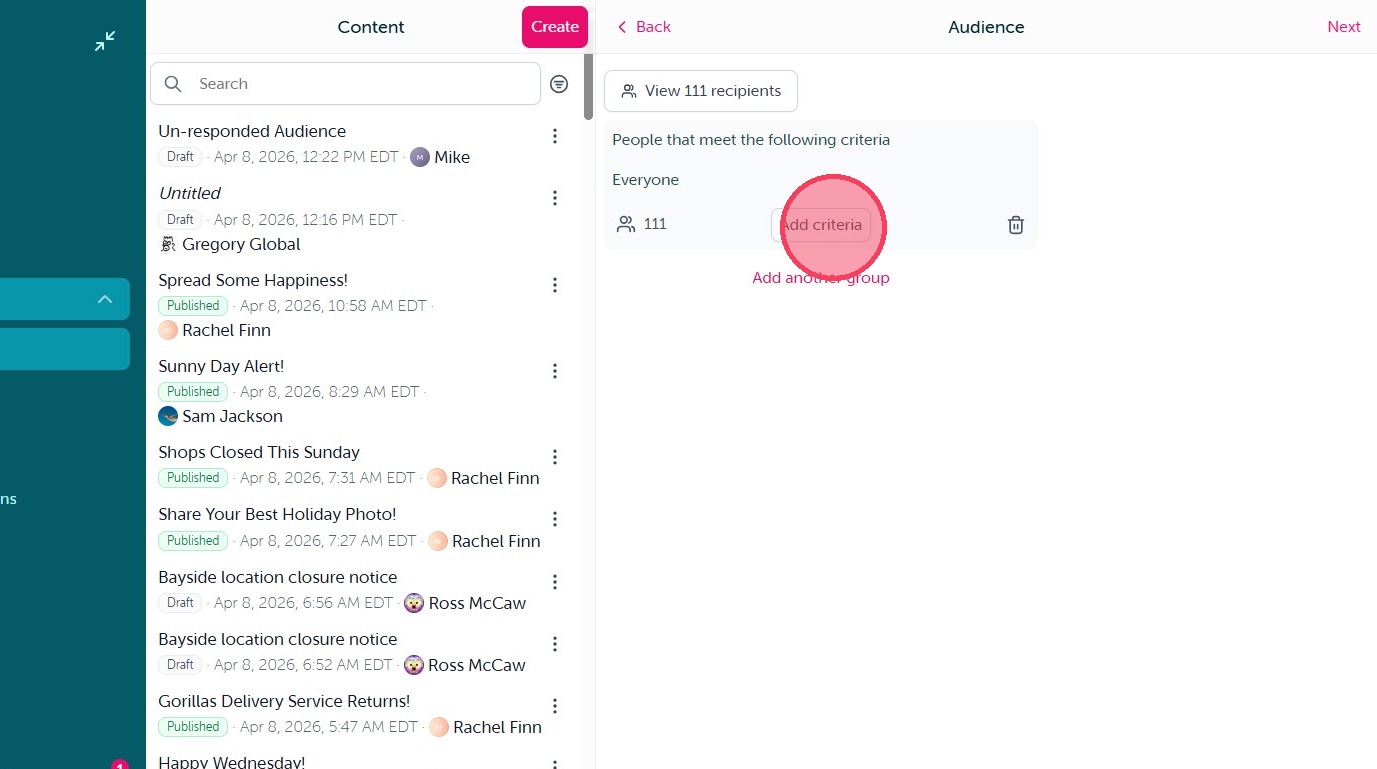
4. Click "Add criteria"
5. You will then see two options: “Content Responder” and “Content Recipient.” Selecting either option allows you to target users based on their interaction with the selected broadcast—specifically, whether they have or have not responded to or received it.
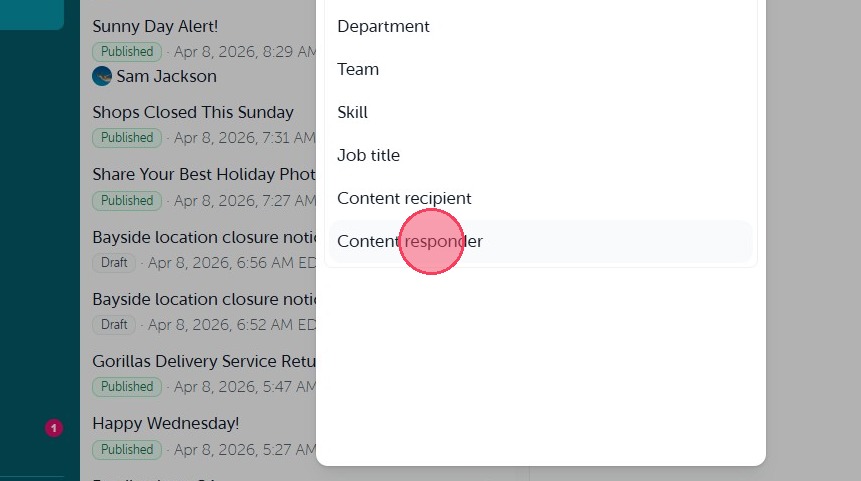
6. Once you select either "Content responder" or "Content recipient" you will then be prompted to select the broadcast you will be using to define your recipients based on response or receiving it.
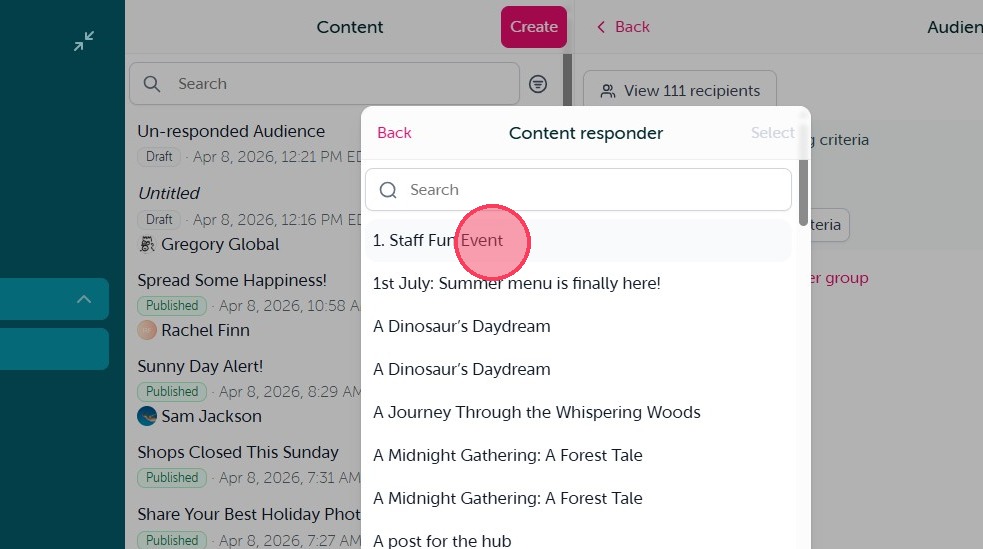
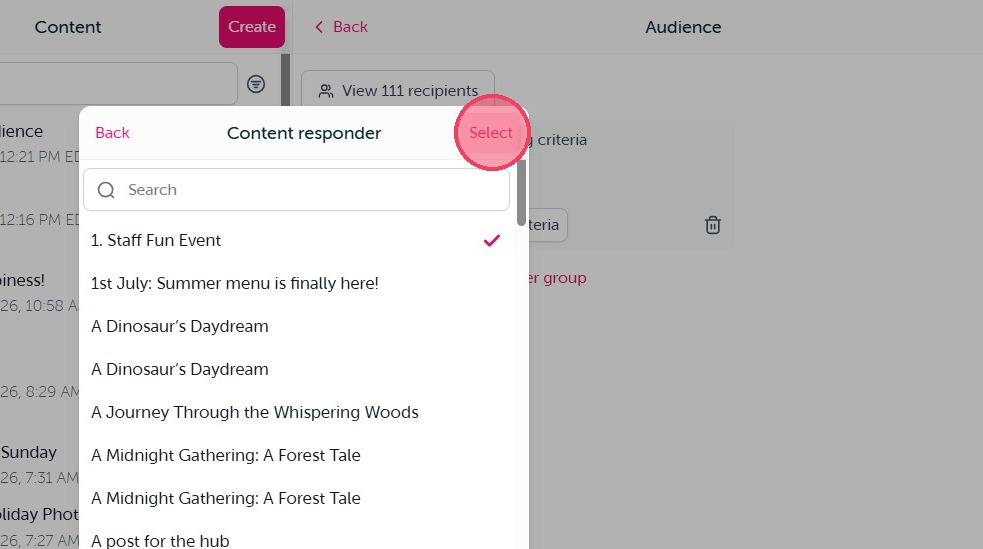
7. Once you make your broadcast selecting click "Select"
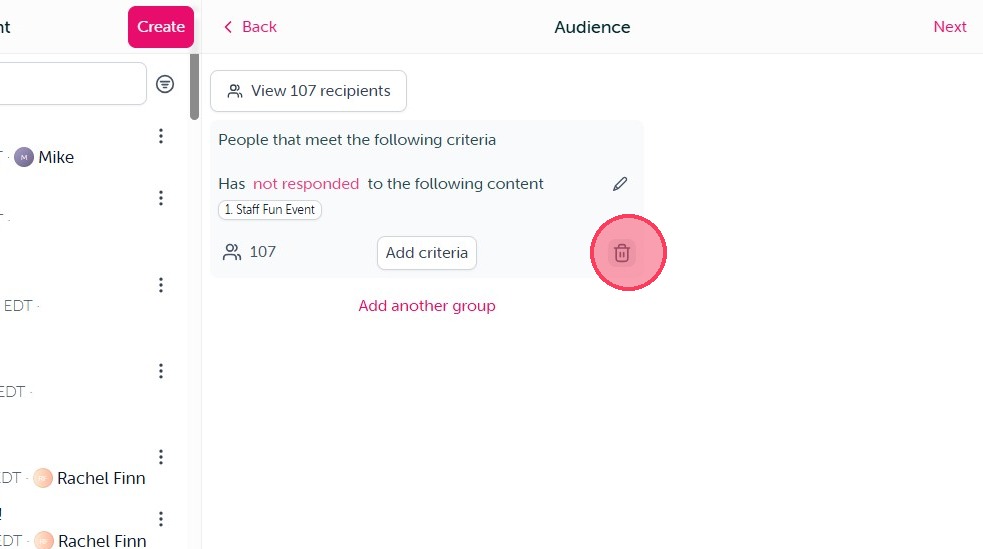
8. You will now see the audience criteria will default to the user's that Have responded to the selected content. If you wish to send it to those user's that Have not responded, simply click on the responded option in pink, as outlined below.
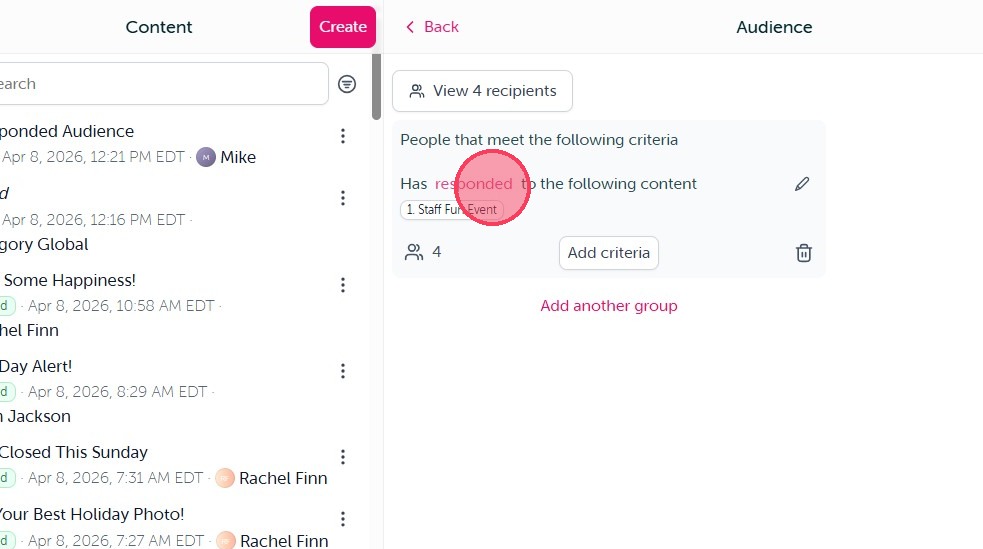
9. You will then see the criteria and audience change when you make the switch to "not responded". This means the broadcast will be sent to those who have yet to respond to the previously selected content.
10. Click "Add criteria"
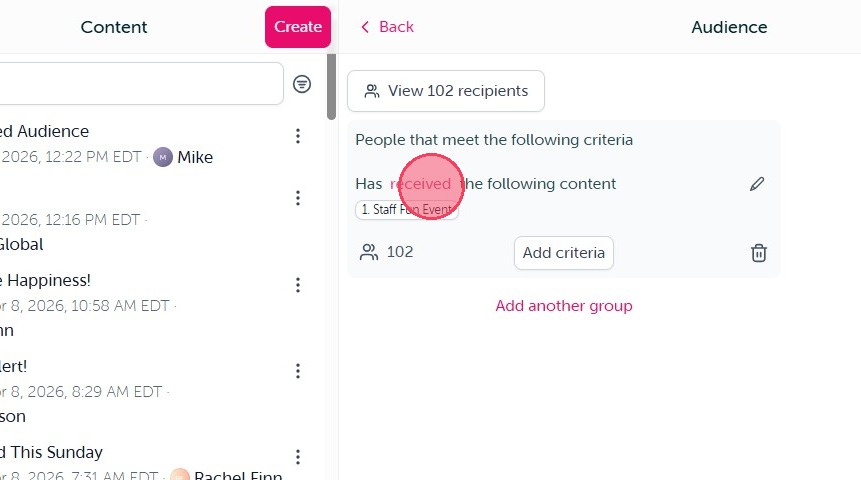
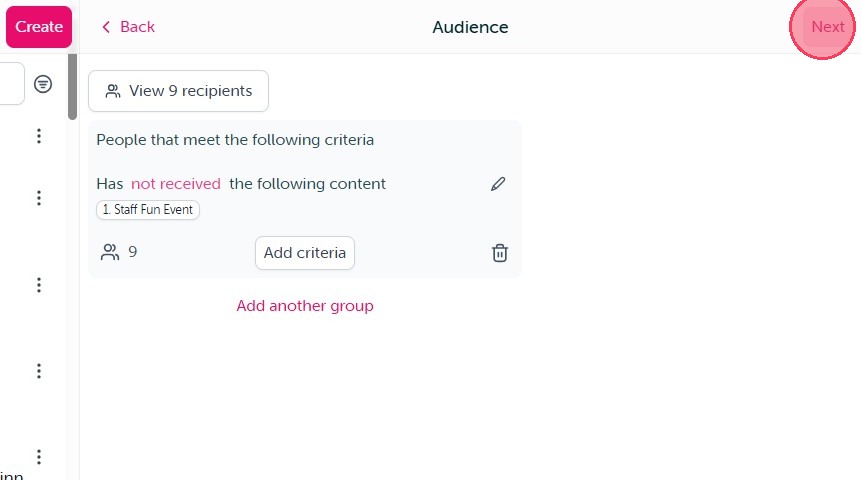
11. The "Content received" audience criteria functions exactly the same, only it is being sent to those who either have or have not yet received a selected piece of content.
12. But, when you have outlined the audience you would like, simple click "Next" and complete your send as normal.
Comments
0 comments
Article is closed for comments.