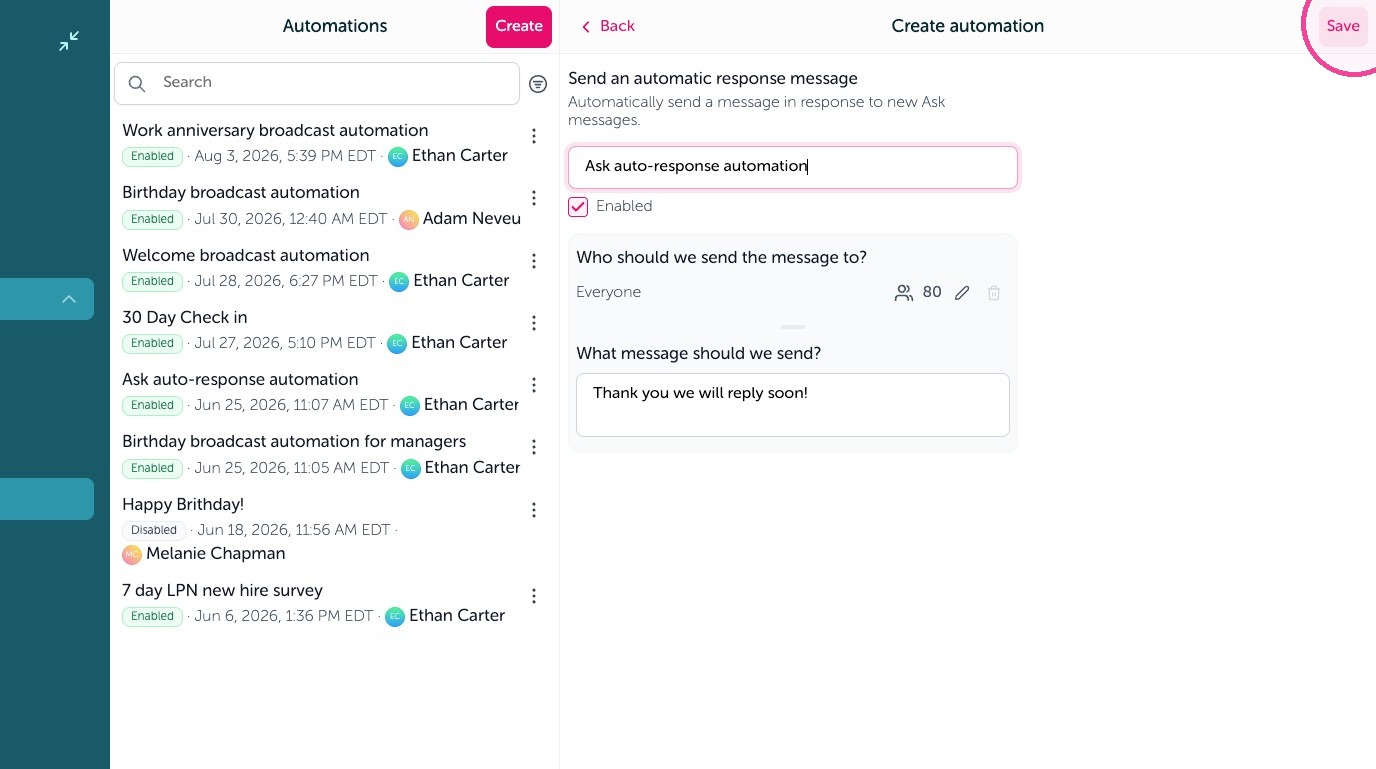
Learn how to set up an automated reply within the OurPeople Ask tool to ensure timely communication confirmations with your team. This guide walks you through the steps to configure and save your custom response message efficiently.
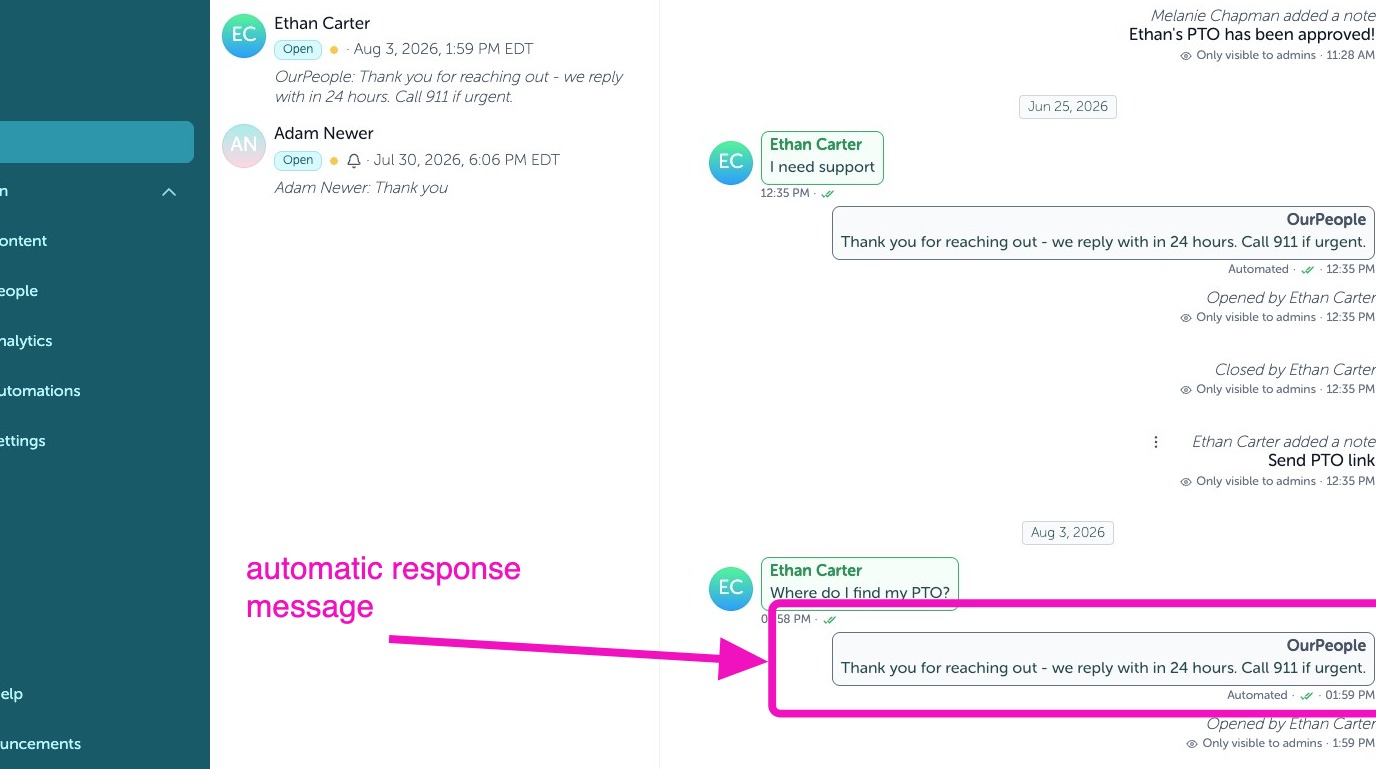
1. Example of an automatic response message
Create Automation
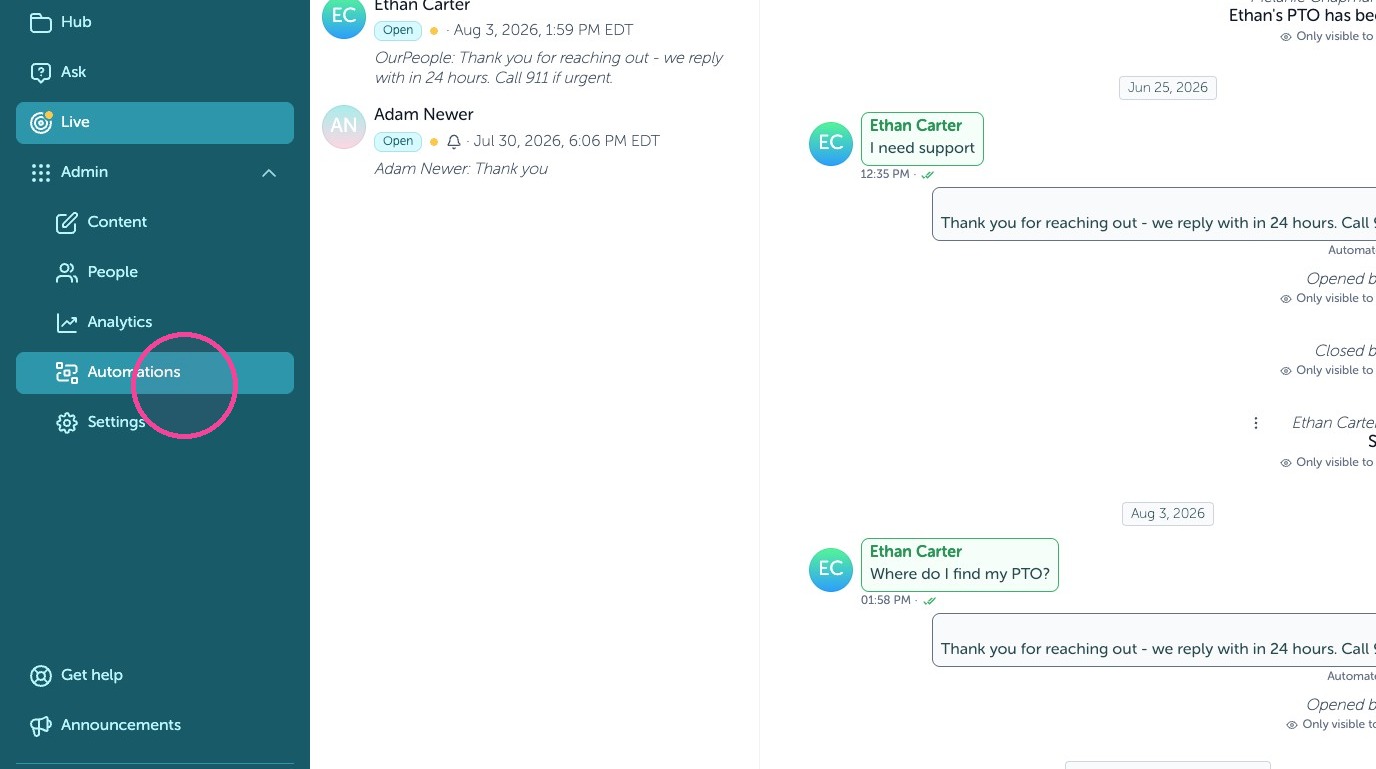
2. Click "Automations"
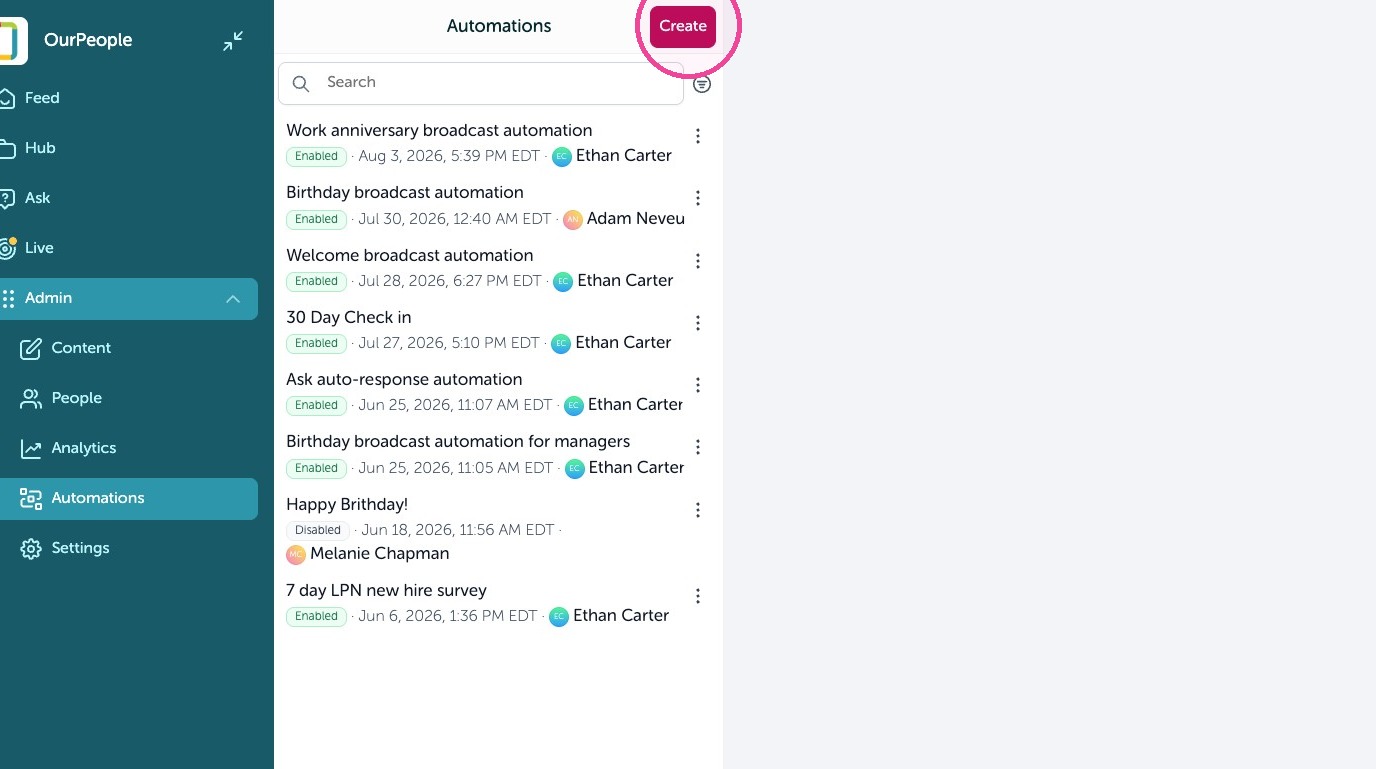
3. Click "Create"
Configure Response
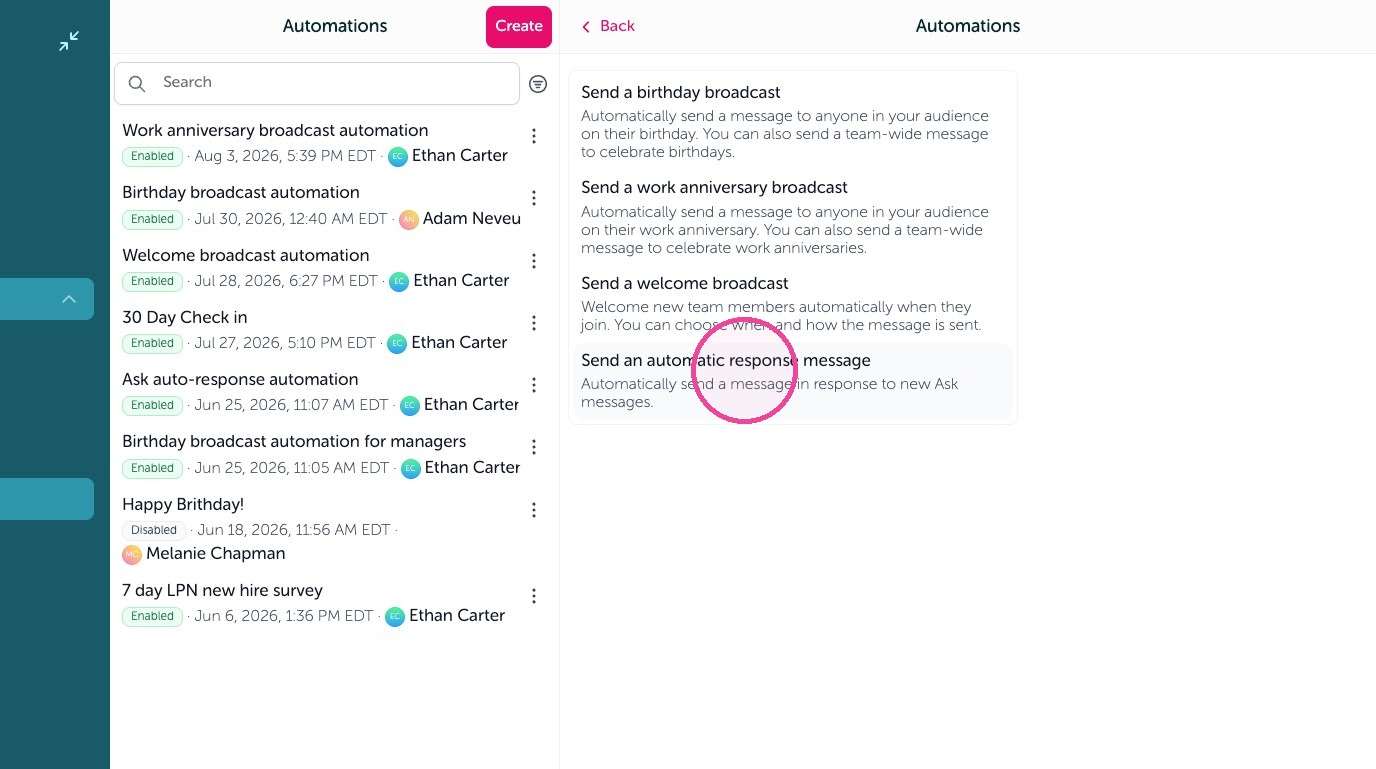
4. Click "Send an automatic response message"
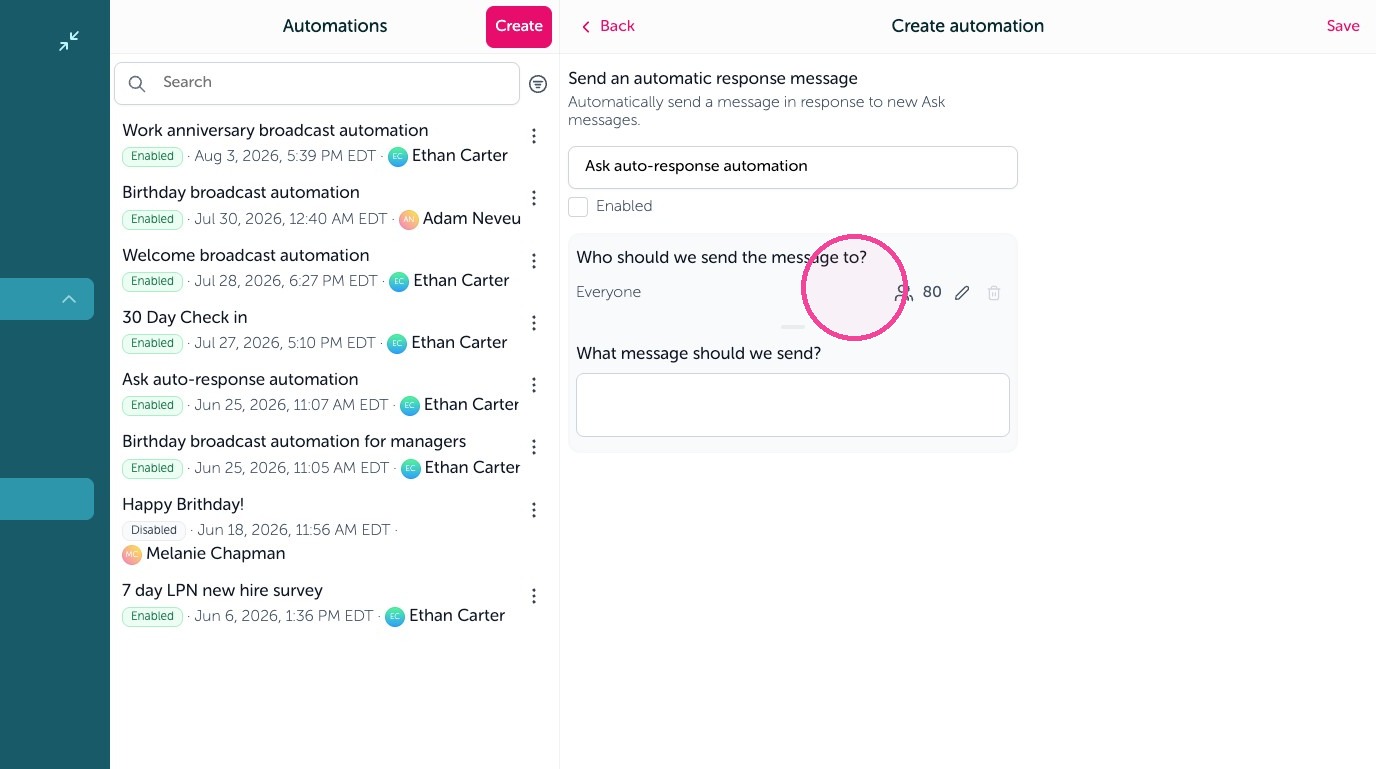
5. Leave as Everyone or set your audience.
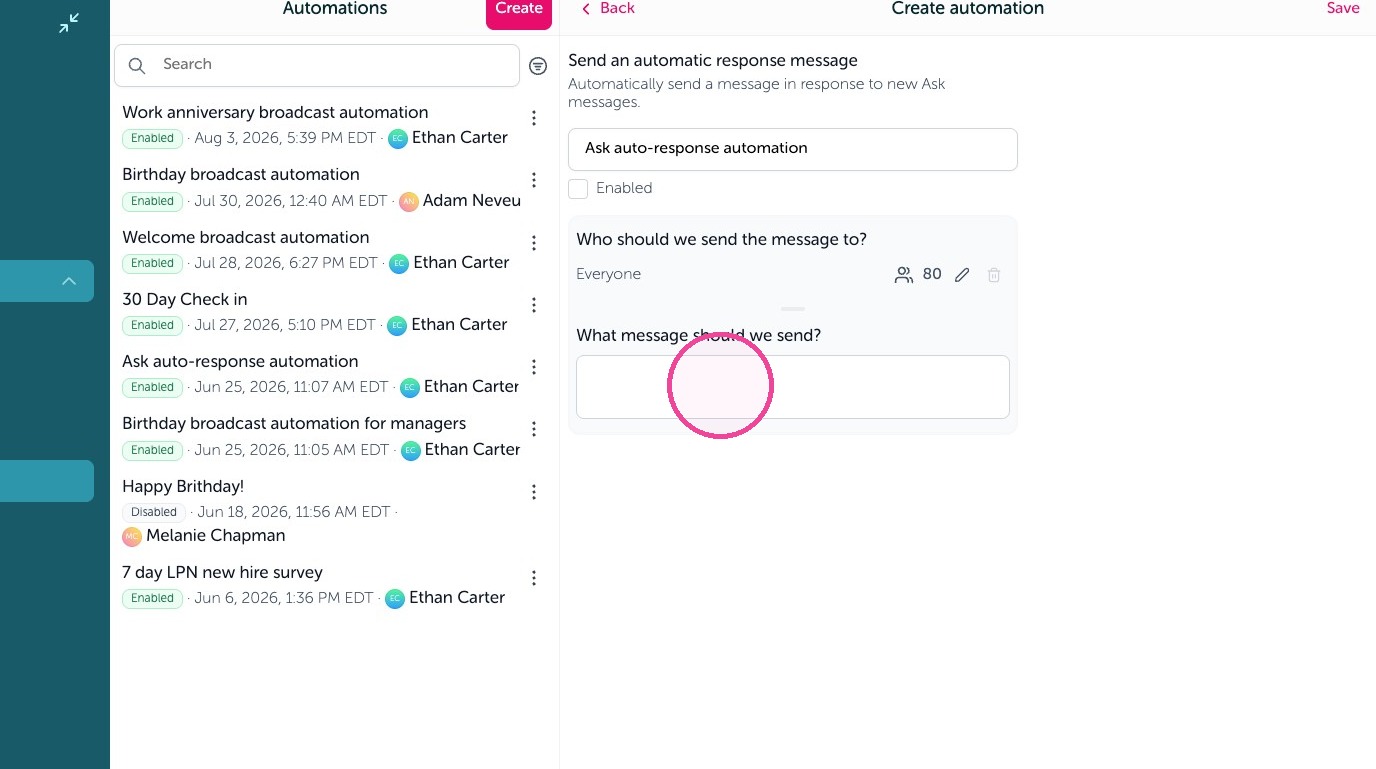
6. Type your automated response here
7. Click the Enabled checkbox.
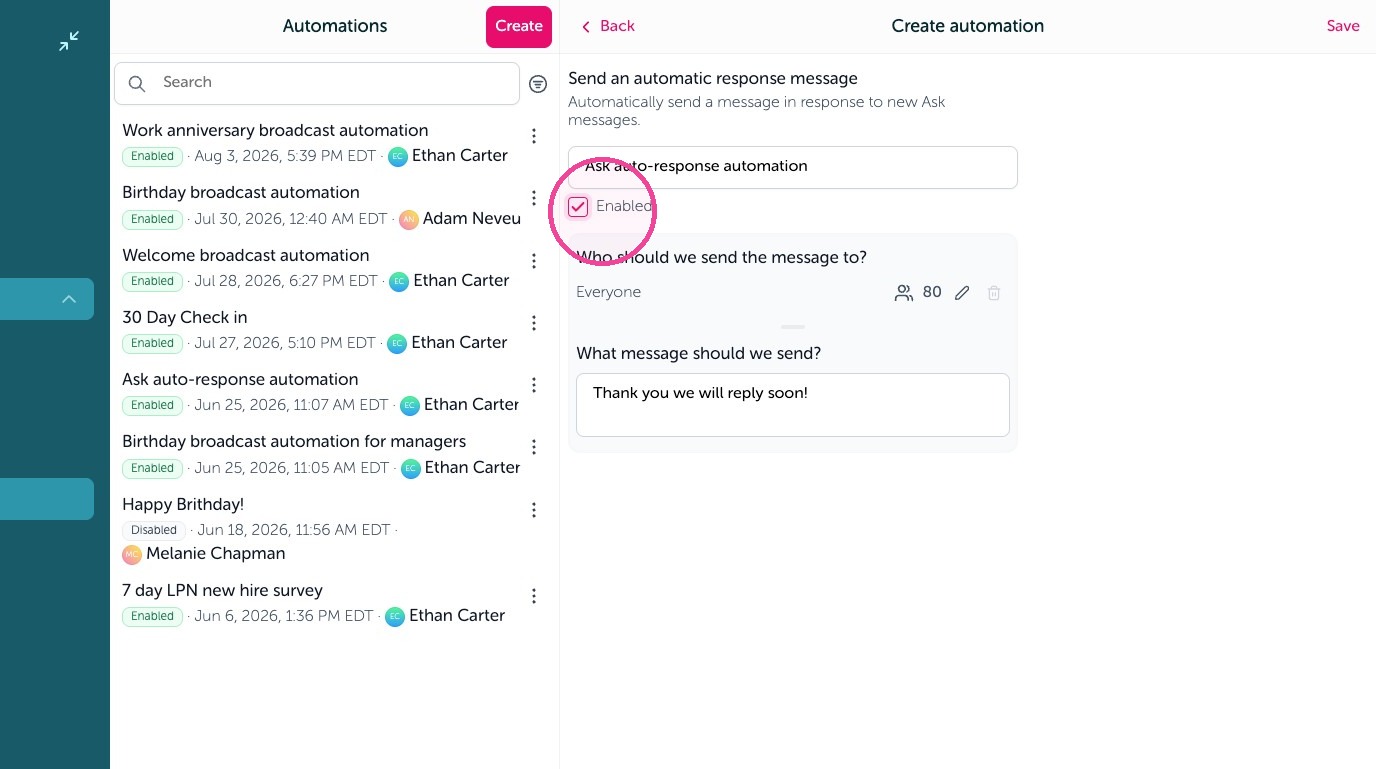
8. Click "Save"